
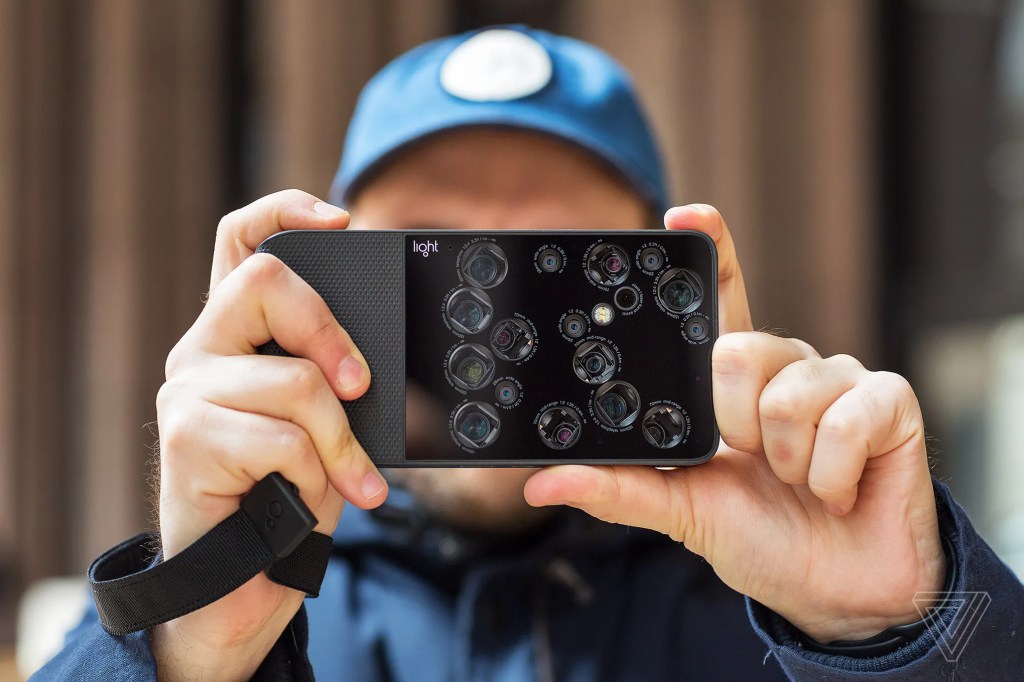
Walk into any phone store today and you’re likely to be greeted by a dazzling array of camera lenses peeking out from the back of every smartphone. Two cameras? Commonplace. Three? Standard. Four or more? Not surprising. But this raises a reasonable question: how many cameras does one actually need in a smartphone?
The answer, as you might expect, is not one-size-fits-all. It depends on what you use your camera for, how often, and how much flexibility you want in your photography.
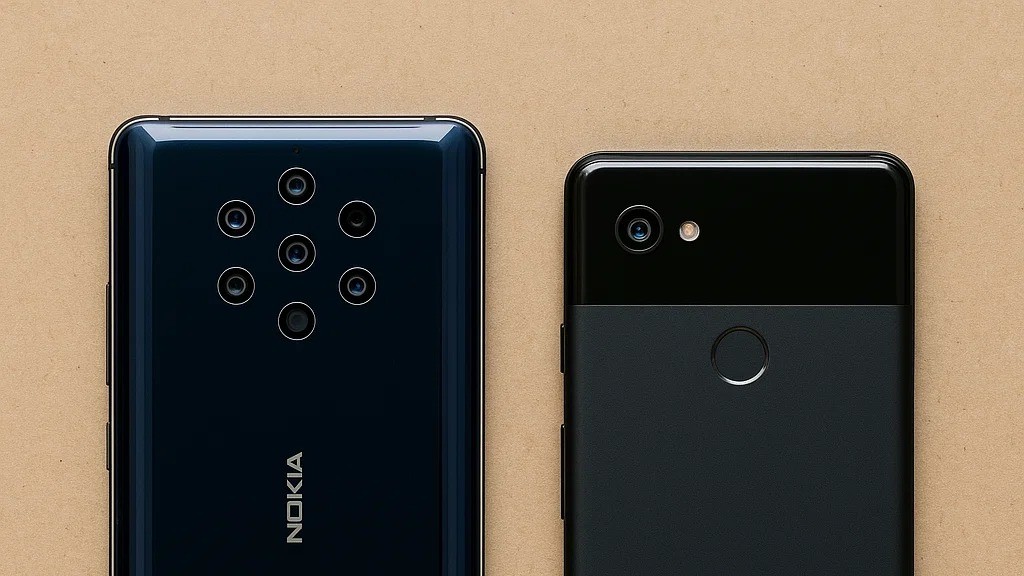
One camera or six—how much is too much?
Why Do Phones Have More Than One Camera?
Years ago, phones came with just one camera, and that was enough for simple photos. Today, manufacturers add extra cameras to give your phone more ways to take different kinds of pictures.
Here are the most common types of cameras you’ll find on a phone — and what they’re used for:
- Main Camera: This is the “regular” camera that most people use. It works well in most situations — indoors, outdoors, day or night.
- Wide-Angle Camera: This camera captures more in a single shot. It’s great for group photos, scenery, or small spaces where you can’t back up far enough.
- Zoom Camera (Telephoto): Lets you take pictures of things that are far away — without making them look blurry. Think of it like a mini binocular built into your phone.
- Close-Up Camera (Macro): This one is for taking super close shots, like a flower petal or the texture on a fabric.
- Depth Camera or Sensor: Helps with background blur, especially in portrait mode, where the subject is sharp and the background is soft and blurry.
Not every phone has all of these. And not everyone needs them.
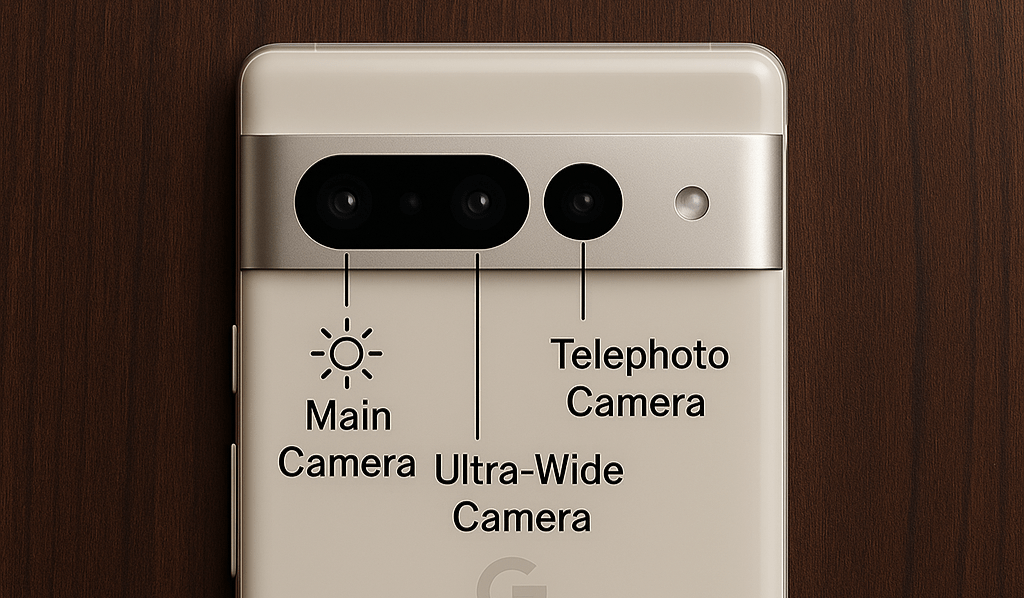
Pixel 7 Pro: Main, ultra-wide, and telephoto cameras—each for a different kind of shot.
🔍 A Quick Glossary
Before we go further, here are some tech terms you’ll see — but explained clearly:
- Sensor: The part inside the camera that “catches” the light. A bigger sensor = better photo quality, especially in low light.
- Aperture (f/number): Controls how much light enters the lens. A smaller number like f/1.8 means better low-light performance.
- Focal length: How “zoomed in” the camera naturally is. Short (eg.,24 mm)= great for group shots and landscapes. Long (eg., 85 mm) = ideal for portraits and zoomed in shots.
- Optical Zoom vs. Digital Zoom: Optical uses the lens to get closer (clearer). Digital just enlarges the image (often blurry).
A single camera is like a good pair of walking shoes — reliable and versatile for everyday use. Multiple cameras are like a full closet: sneakers for running, boots for hiking, and dress shoes for events. You won’t need all of them every day, but when the occasion calls, it’s nice to have the right fit. Now, let’s look at each camera type in more detail — both practically and technically.
The Camera “Array”: What Each Lens Does
1. Main Camera (Also called “Wide” or “Primary”)
✅ What it does:
This is your go-to camera — the one you’ll use 80–90% of the time. It’s designed to mimic the way your eyes see the world. Most modern phones put their best sensor and image processing behind this lens.
🔍 Technical Bits :
- Sensor size: Usually the largest in the camera setup (e.g., 1/1.56″, 1/1.3″, even 1″ on some flagship phones). A larger sensor captures more light, which is crucial for clear, sharp photos — especially in low light.
- Aperture: Typically around f/1.6 to f/1.9 — this lets in more light, making photos brighter and less grainy.
- Lens quality: Main lenses often have image stabilization (to reduce blurriness from shaky hands) and better auto-focus systems.
🛠️ What it’s great at:
- Daylight photography
- Portraits (especially when combined with software)
- Indoor shots
- Low light scenes (with night mode)

Captured on the main sensor — fast, sharp, and low-light ready
⚠️ Limitations:
None really — this is the “workhorse” camera. If a phone has just one lens, you want this one to be excellent.
2. Ultra-Wide Camera (Also called “Wide-Angle”)
✅ What it does:
It lets you fit more into the frame. If you’ve ever struggled to get everyone into a group photo or wanted to show off a big landscape, this lens helps.
🔍 Technical Bits:
- Field of view: Ranges from 110° to 130° — much wider than your normal camera.
- Sensor size: Usually smaller than the main lens, which means it might not perform as well in dark settings.
- Distortion: Without correction, ultra-wide lenses bend the image at the edges (like a fish-eye). Most phones now use software to “flatten” the look.
🛠️ What it’s great at:
- Group photos
- Travel photography
- Architecture and tight interiors
- Creative wide shots (like skateboarding or festivals)

Ultra-wide in play: more scene, less step back
⚠️ Limitations:
- Struggles in low light
- Can distort people or objects near the edge of the frame
- Often lower quality than the main lens
📸 Pro tip: Don’t use ultra-wide for close-up portraits — it can stretch faces!
3. Telephoto Camera (Zoom Lens)
✅ What it does:
It brings faraway subjects closer without moving or losing detail. This is real zoom, not just digital enlargement.
🔍 Technical Bits:
- Optical zoom: Uses real glass and lens distance to magnify the image (e.g., 2x, 3x, 5x). This keeps detail sharp.
- Digital zoom: Just crops the image — like zooming in on a photo after you’ve taken it.
- Periscope lens: Some phones use a folded lens design (like a periscope) to achieve 5x to 10x zoom in a small space.
🛠️ What it’s great at:
- Nature photography
- Capturing candid moments from a distance
- Events like concerts or graduations
- Detail shots without disturbing the subject (like birds, pets, or a sleeping baby)
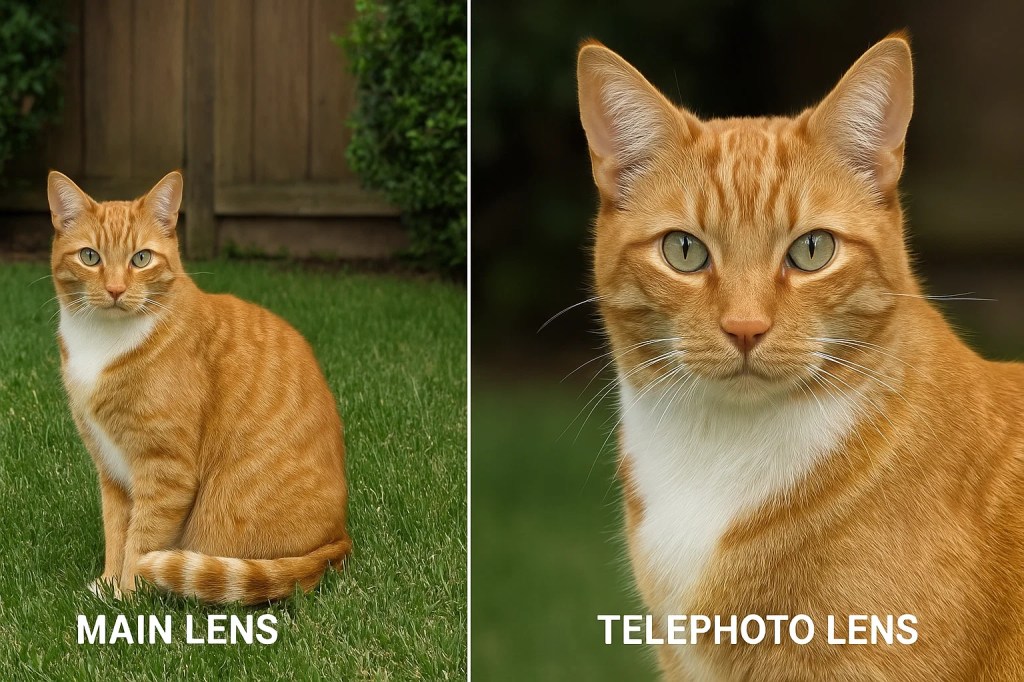
Telephoto: real zoom, real detail — no crop tricks
⚠️ Limitations:
- Zoom lenses often have narrow apertures (e.g., f/2.4), making them less effective in low light
- Some budget phones fake the zoom with digital cropping
- Telephoto lens may not activate in close range (usually needs a minimum distance)
4. Macro Camera (Extreme Close-Up Lens)
✅ What it does:
Allows you to focus very close to small objects — much closer than the main camera can. We’re talking 2–4 centimeters away (less than the width of your finger).
🔍 Technical Bits:
- Focus distance: Optimized for super-close focus, where normal lenses would blur.
- Resolution: On cheaper phones, often just 2 MP or 5 MP, which limits detail. Flagships may use ultra-wide lenses in macro mode for better results.
🛠️ What it’s great at:
- Flower petals and textures
- Insects, jewelry, or food close-ups
- Artistic detail shots

Macro lens at work
⚠️ Limitations:
- On many phones, the macro lens is just a filler — low resolution, poor quality
- Not very useful in everyday life unless you like close-up photography
📸 Pro tip: Look for macro modes that use the ultra-wide lens instead — they’re usually much sharper.
5. Depth Sensor (or Time-of-Flight Sensor)
✅ What it does:
It doesn’t take pictures by itself. Instead, it helps the camera understand the distance between objects — so it can blur the background in “portrait mode.”
Think of it like giving your camera 3-D vision.
🔍 Technical Bits:
- Uses infrared, laser, or light pulses to measure depth
- Some phones use LiDAR (Light Detection and Ranging) — especially for AR (augmented reality)
- Helps with faster focusing and edge detection
🛠️ What it’s great at:
- Portrait photos with blurred background (bokeh)
- Augmented reality (placing virtual objects into real environments)
- Smoother focus transitions in video
⚠️ Limitations:
- Many phones can achieve similar effects with software and don’t need a separate depth lens
- Some phones include “depth” just to advertise more cameras, but use it minimally
6. Front Camera (Selfie Lens)
✅ What it does:
Captures your face, and anything else in front of the screen. But it’s doing more work now than ever — selfies, video calls, face unlock, vlogging, and more.
🔍 Technical Bits:
- Megapixel count: 8 MP–32 MP are common, but more megapixels doesn’t always mean better photos — software processing matters too
- Field of view: Some have wide-angle options (great for group selfies)
- Video features: Some front cameras now support 4K video recording, portrait video, and night mode
🛠️ What it’s great at:
- Selfies and group selfies
- Zoom calls and FaceTime
- Front-facing videos or vlogs

Demonstrating the power of the front camera — ideal for high-res selfies
⚠️ Limitations:
- Often lower-quality sensors than the rear cameras
- May lack stabilization, so video can feel shaky
But… Aren’t Some of These Lenses Just Marketing?
Yes — and this is where things get murky.
Some budget or mid-tier phones include “filler” lenses (e.g., 2 MP macro sensors or “AI cameras”) that serve little practical use. Their presence is often more about marketing a higher lens count than offering actual functionality. The quality of the sensor, lens optics, and software optimization usually matters far more than raw numbers.
Ask yourself:
- Do I use zoom regularly, or am I okay cropping from the main sensor?
- Do I value wide-angle creativity?
- Am I editing photos, or just using social filters?
Your answers should guide your decision more than the camera count.
Software Matters Just As Much
Here’s the part often ignored: even with three similar lenses, two different phones can produce vastly different photos. That’s because image processing software — how the phone renders detail, skin tones, shadows, and highlights — plays a huge role. You could have five cameras, but still take dull, over-sharpened photos. Why? Because software matters just as much as hardware.
Phones now use AI and computational photography to:
- Combine multiple images into one (for better light/detail)
- Recognize faces, food, sunsets, etc.
- Automatically adjust contrast, exposure, and blur
Examples:
- Samsung’s AI Scene Optimizer enhances shots by recognizing over 30 scenes
- Google Pixel phones rely heavily on software with fewer lenses
- iPhones use Smart HDR and Deep Fusion to improve skin tone and detail
For instance, Google’s Pixel phones have traditionally outperformed rivals using just a single rear camera, thanks to exceptional computational photography. Apple’s Deep Fusion and Smart HDR tech are similar examples of software doing the heavy lifting.
So yes, fewer lenses with smarter software can often be better.
Final Thoughts: So, How Many Cameras Do You Need?
The answer isn’t a number. It’s about what kinds of photos you actually take and what you value most — simplicity, creativity, or professional control. The race to cram more cameras into smartphones isn’t slowing down — and to some extent, it’s fun to see what’s possible. But before you let the numbers sway you, ask yourself why you take photos, and what kind of photos you actually want to take.
Because in the end, even a single smartphone camera, if used with skill, will outshine a multi-lens setup used without purpose. Know your device. Elevate your shots.

 Plugs n Jacks
Leave a comment