

Apple just dropped iOS 26, and frankly, it’s the biggest visual shake-up since they ditched their tactile, material rich UI back in 2013. This isn’t just another incremental update with a few tweaks here and there. We’re talking about a complete design overhaul that Apple calls “Liquid Glass” – and yes, that’s as dramatic as it sounds. But before you get swept up in the marketing hype, let’s break down what this actually means for your daily iPhone experience.
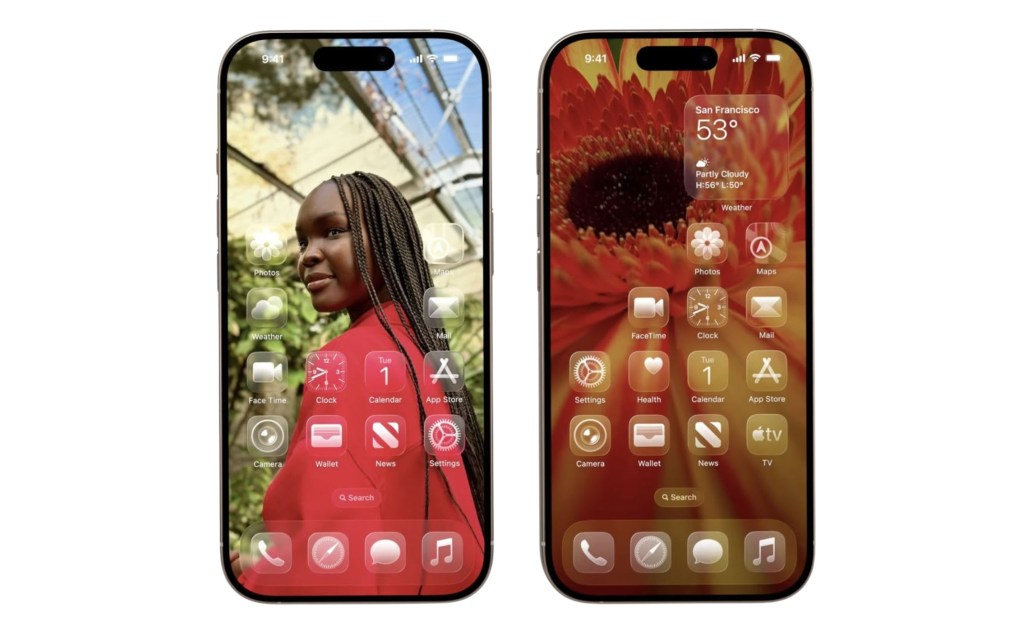
The Liquid Glass Revolution: Pretty or Practical?
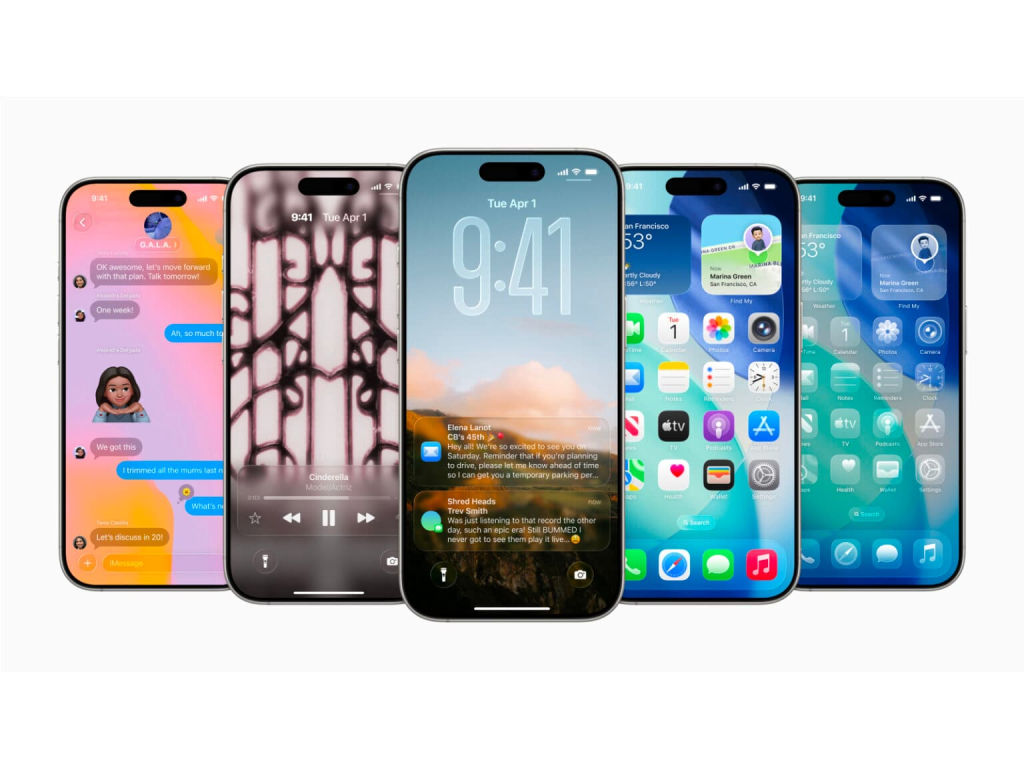
iOS 26 with the liquid glass interface
Liquid Glass isn’t just Apple’s fancy name for “making things see-through.” It’s a comprehensive design language that makes every interface element behave like actual glass – transparent, refractive, and dynamically responsive to what’s behind it. Think of it as Apple’s answer to everyone asking “how can we make phones feel more like magical devices and less like boring rectangles?”
The transparency goes deep. Your lock screen clock now adapts its size and position based on your wallpaper. App icons get multiple layers of glass-like effects. Control Center panels float with real-time rendering that produces specular highlights as you interact with them. Even Safari’s tab bar shrinks and expands fluidly as you scroll, blending into webpage content.
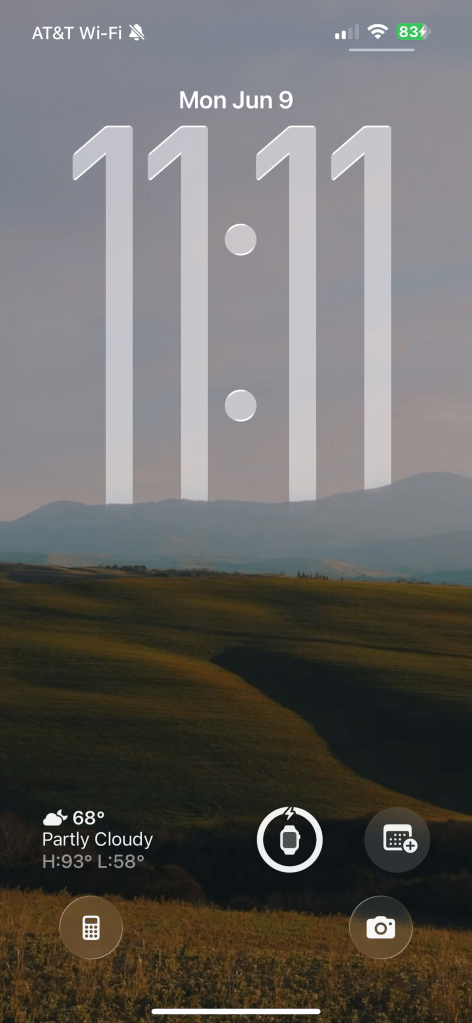
The iOS 26 lock screen showcases the new adaptive clock.
But here’s the reality check: several designers are already raising red flags about readability. When everything is transparent, contrast becomes your enemy. Grayscale backgrounds revealed legibility issues in developer betas, with notifications and menus appearing “washed out”. Apple’s trying to fix this with adaptive backgrounds, but inconsistencies persist.
Camera App Gets the Minimalist Treatment (Finally)
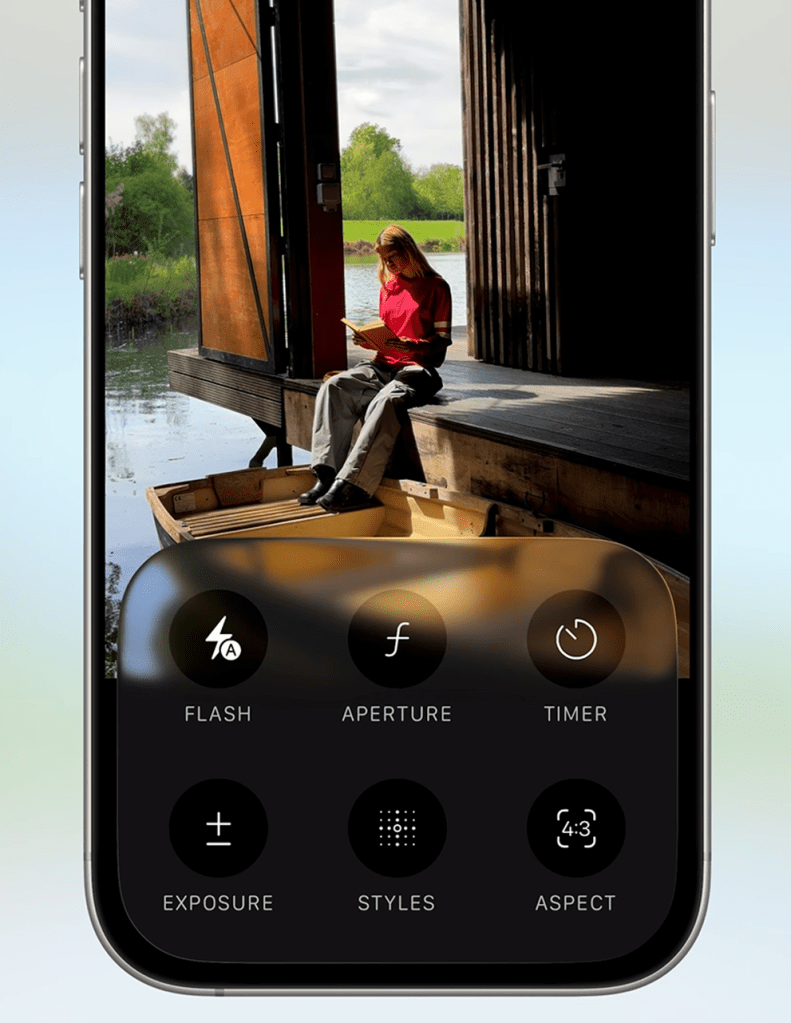
The Camera app just received its first major redesign in a decade, and it’s all about that minimalist interface philosophy. You’ll now see just two buttons by default: Photo and Video. Everything else – Portrait mode, Cinematic mode, Slow-Motion – lives a horizontal swipe away.
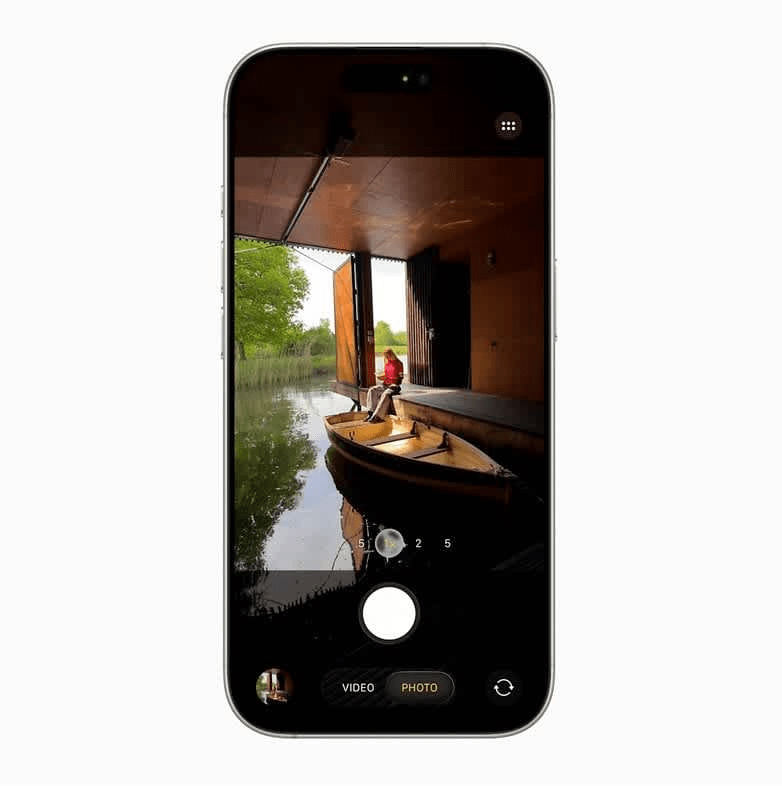
Advanced settings like resolution and frame rate controls are tucked behind a swipe-up menu. On one hand, this reduces visual clutter dramatically. On the other hand, it might frustrate power users who want quick access to pro-level controls. It’s like Apple decided the Camera app should be as simple as a disposable camera, but with all the complex features hidden in a secret compartment.
Early testers note that while casual photography becomes more streamlined, accessing professional controls now requires more steps. You’ll need to ask yourself: do you prefer immediate access to all options, or a cleaner interface that requires a bit more navigation?
Apple Intelligence: Playing Catch-Up or Moving Forward?

Apple Intelligence in iOS 26 brings several genuinely useful features, though they feel more like Apple finally catching up rather than leading the pack. The standout addition is Live Translation, which enables real-time, on-device translation across Messages, FaceTime, and phone calls. Supporting nine languages for now, it translates speech and text without internet connectivity, though early demos show slight lag compared to cloud-based competitors.
Visual Intelligence now extends beyond camera input, letting you search and act on any on-screen content. Screenshot a lamp in a shopping app, and it’ll trigger web searches for similar products. This mirrors Google’s Circle to Search feature, confirming Apple’s broader push to enhance contextual abilities.
The most significant development for developers: Apple opened access to its on-device AI models. Third-party apps can now integrate features like image generation and text summarization without cloud dependencies. A demo showed converting lecture notes into quizzes with a single tap. However, Apple’s models still lag behind Google’s Gemini and OpenAI in contextual understanding.
Notably absent? Meaningful Siri updates. Apple stated it needs “more time to meet quality standards”; a telling admission about their conversational AI struggles.
Messages Finally Joins the Modern Era
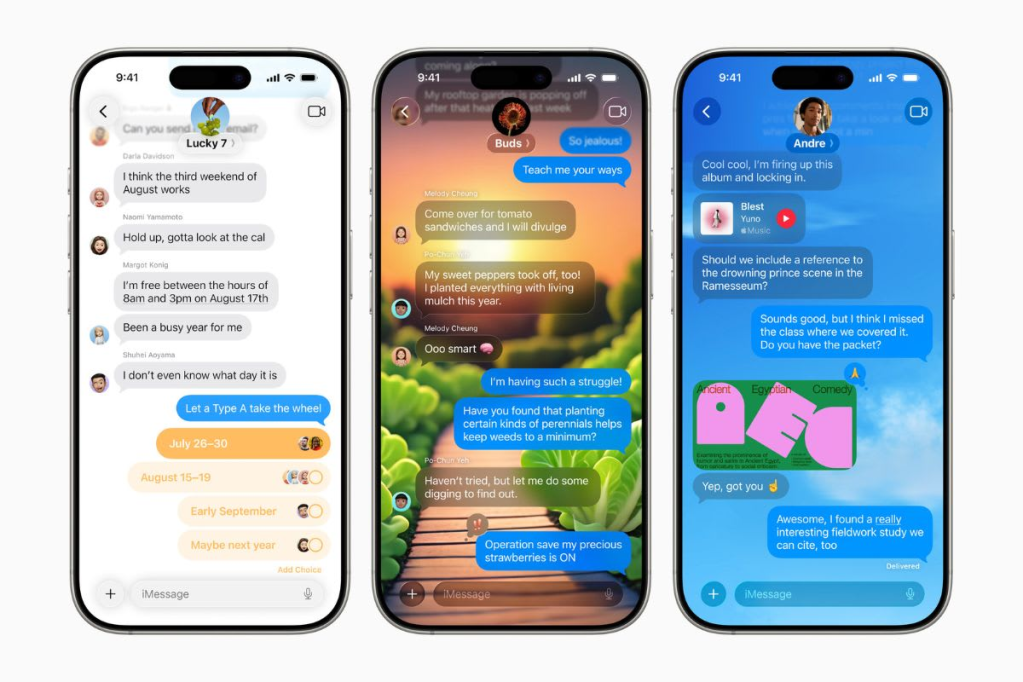
iMessage app with custom backgrounds for individual conversations
The Messages app is getting features that should’ve existed years ago. Group chats now display typing indicators showing which participant is composing responses – standard on WhatsApp and Telegram for ages. You can create in-chat polls with real-time results, with Apple Intelligence suggesting polls when group decisions are detected.
Custom backgrounds for individual conversations add visual personalization, either from personal photos or AI-generated via Image Playground. Apple Cash integration allows sending, requesting, and receiving money directly within group chats.
There’s also improved spam prevention through message screening. Unknown senders get sorted into a separate folder, keeping them out of your main conversation list until you decide they’re worth your attention. Think of it as spam filtering for texts, finally built into the system.
Gaming Gets Its Own Spotlight
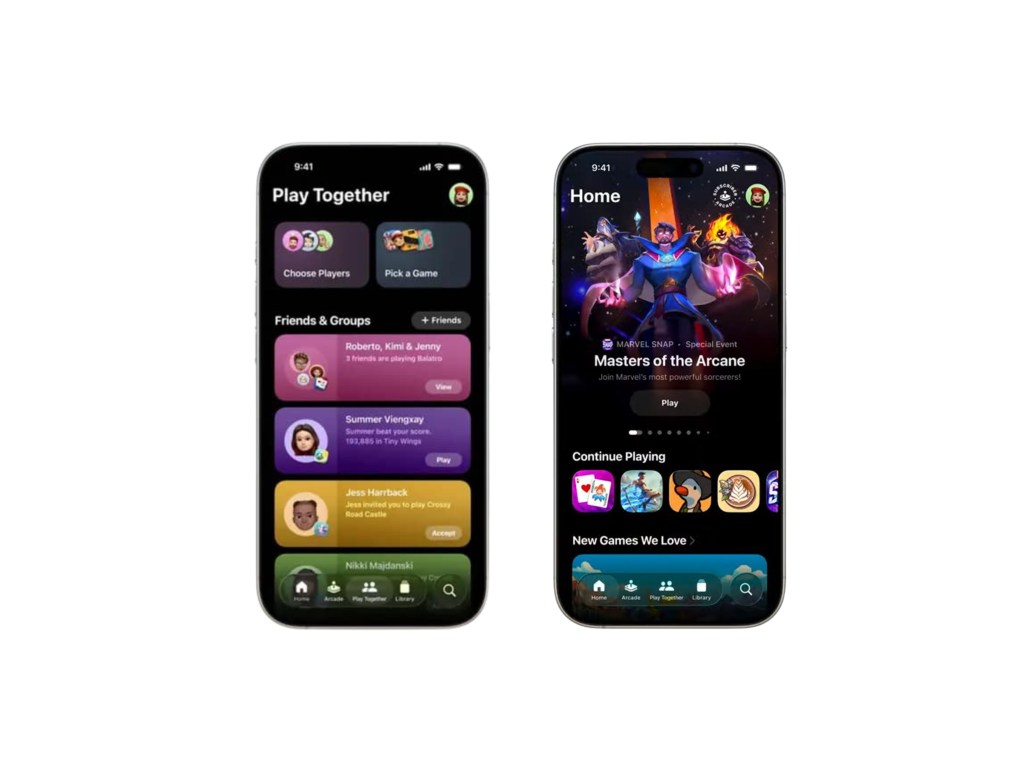
The new Apple games app
Apple introduced a dedicated Games app that centralizes your gaming experience. It combines Apple Arcade titles, achievements, and social features into one hub. The app aggregates all installed games (including third-party ones), shares friends’ gameplay clips and high scores, and syncs progress across iPhone, iPad, and Apple TV.
While promising, the app’s impact depends heavily on developer adoption, particularly for non-Arcade titles. It’s Apple’s attempt to create a PlayStation Network or Xbox Live equivalent for their ecosystem. Whether it succeeds depends on whether developers and users actually embrace it.
The Real-World Impact: Should You Care?
Here’s my honest assessment: iOS 26 succeeds in modernizing Apple’s ecosystem with practical tools like Hold Assist (which waits on phone calls for you) and Live Translation. The Liquid Glass design creates visual cohesion across all Apple platforms. For everyday users, the update refines core interactions and reduces friction in communication.
However, the innovations feel more like catch-up features than revolutionary advances. Polls in group chats and call screening are Android-like features finally arriving on iPhone. The AI advancements, while useful, remain incremental rather than transformative.
Battery drain from Liquid Glass’s real-time rendering appears modest in early beta tests, though optimization continues. The A18 chip’s upgraded neural engine efficiently handles AI tasks without significant thermal throttling.
The bottom line? iOS 26 lays groundwork for future spatial computing experiences while addressing long-standing user requests. It’s not groundbreaking, but it’s genuinely useful. Whether the transparency obsession enhances or hinders usability remains to be seen once it hits your daily routine.
Ready to cut through the hype? Share your take on iOS 26’s changes in the comments below. Do you think Liquid Glass is a step forward or a distraction? For weekly breakdowns of what actually matters in tech, hit that subscribe button. Let’s turn specs into sense, together.

 Plugs n Jacks
Leave a comment