
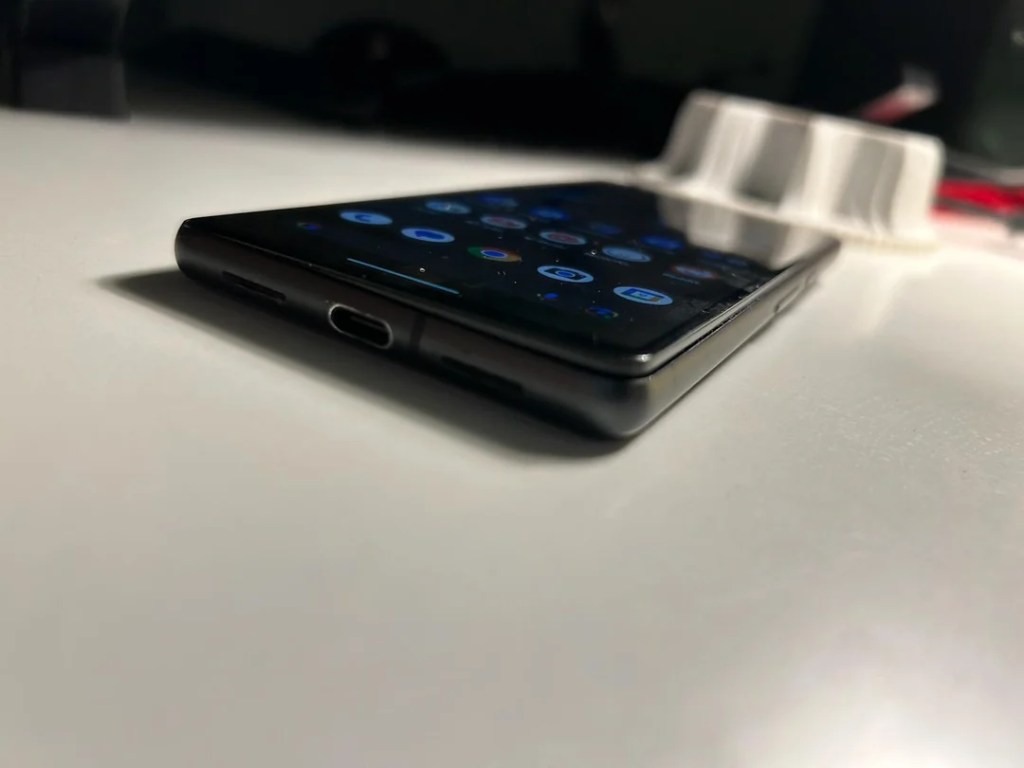
I’ve used the Pixel 7 as my daily driver for about two years. Last week, while taking it out of the case to clean, I saw the screen lifting from the mid-frame. Battery swell. Not a fun discovery.
I’m writing this for two reasons,
First, to document exactly what happened and what I did.
Second, to give you a simple, practical path if you ever face the same issue.
How It Started
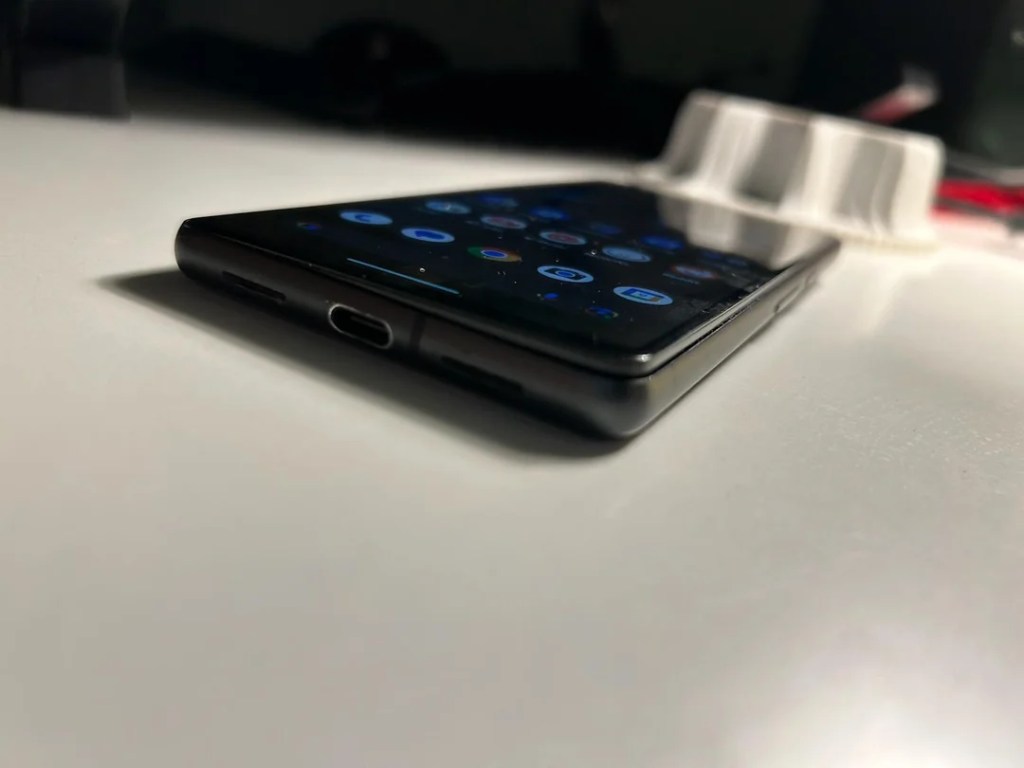
A week ago, I pulled the phone out of its case for a quick wipe. The screen looked slightly proud at one edge. Not a gap you imagine. A real lift. On a table, it no longer sat flat. The mid-frame was no longer flush.
Leading up to this, two things stood out:
- It ran hotter than usual.
- Battery life had taken a hit.
On some days, the phone got too hot to hold for long. No gaming. No wireless charging marathon. No extreme use. Just everyday tasks and regular charging. Still, heat grew. Battery life dipped.
That was the warning phase. I didn’t treat it as such. I should have.


What I Did Next
I powered the Pixel 7 down. No testing. No “one last backup.” No pushing the screen back in. I kept it on a flat, non-flammable surface, away from direct sun, and didn’t charge it. Then I contacted Google service.
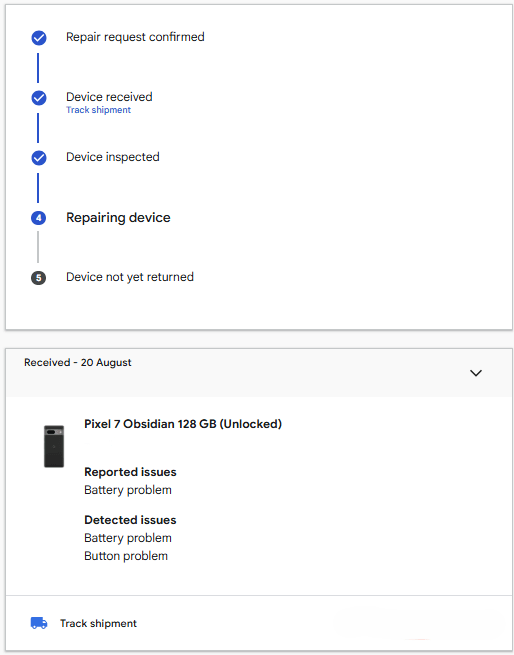
The phone was out of warranty. They still offered a free battery replacement. Credit where it’s due. That response was fair and fast.
Why Batteries Swell
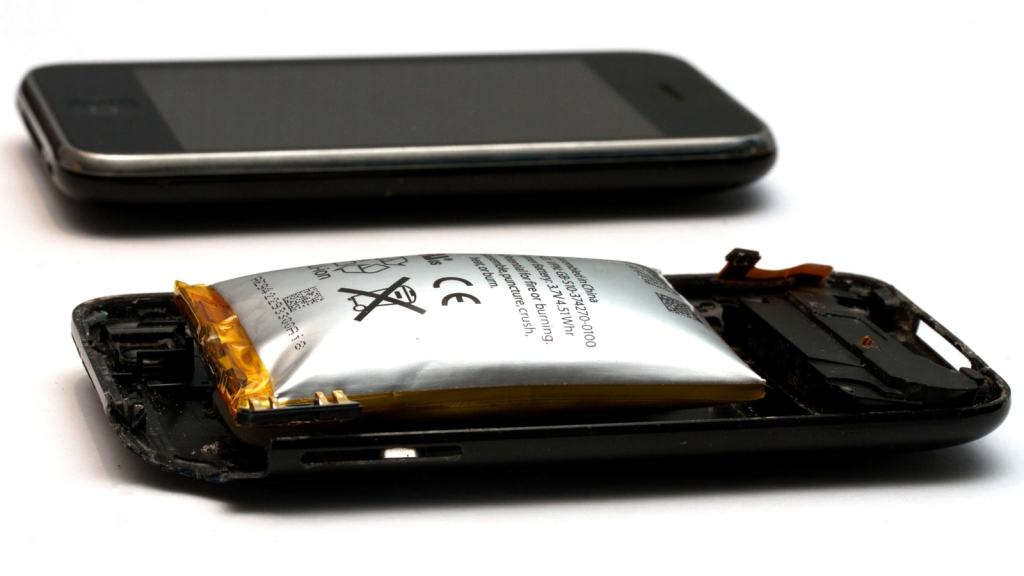
Modern Smartphones use something called Lithium-ion Batteries. These Lithium-ion cells age over time. Inside the cell, chemical reactions create gas if the layers break down. Gas has nowhere to go, so the pouch expands. That expansion pushes on the phone’s components.
You see it as a lifted screen, a separated back, or a frame that looks warped.
What accelerates it?
- Heat. Repeated high temperatures are the big one.
- Time and cycles. Two years of daily charge–discharge adds up.
- Deep discharges and constant top-offs. Not the end of the world, but not ideal.
- Physical damage or manufacturing defects. Rare, but possible.
You don’t need to be a heavy gamer to see swelling. Sometimes the chemistry just ages badly. Sometimes the pack runs hotter in your environment. Sometimes you do everything “right” and it still happens. That’s reality with lithium-ion.
The Early Signs I Ignored
- Unusual warmth during simple tasks.
- Faster battery drains week over week.
- Hot to the touch during light use.
- Subtle creaks or clicks when pressing near the frame (can happen when pressure builds).
- A slight wobble on a flat table.
Not every hot day means danger. But a pattern matters. If the device runs hotter more often and battery life drops, pay attention.
Safety First: Do’s and Don’ts
Do:
- Power off immediately when you see lift or separation.
- Keep the device on a hard, flat, non-flammable surface.
- Book a service appointment with the manufacturer or a trusted repair center.
- Transport it gently. Use a ventilated pouch or box. Avoid sharp pressure.
Don’t:
- Don’t try to press the screen back.
- Don’t charge it “one last time.”
- Don’t puncture, bend, or freeze the phone.
- Don’t keep it under a pillow, in a hot car, or on a soft bed.
You’re not being dramatic. You’re being responsible.
My Service Experience
I expected to pay. Out of warranty usually means “open your wallet.” Instead, Google offered a free battery swap. The right call. No fuss.
What this tells me:
- The brand recognizes the safety aspect of swelling.
- A reasonable, safety-first policy builds trust.
- It saved a loyal user from switching platforms in frustration.
Will every case get the same offer? I can’t promise that. Policies vary by region, stock, and the exact device condition.
But it’s worth asking, clearly and calmly, with photos if needed.
Should You Worry If You Own a Pixel ?
Worry is a strong word. Be alert instead. Swelling is not a Pixel-only problem. It’s a lithium-ion reality.
I still recommend Pixels for the camera, the smart features, and the clean software.
Here’s my stance:
- If you own a Pixel around the two-year mark, watch temperature and battery trends.
- If you see consistent heat and clear decline, get ahead of it.
- If you spot physical separation, stop using it and book service.
- Don’t panic. Act. That’s all.
What I’ll Do Differently From Now
- Routine checks when I remove the case. Look for lift, gaps, or frame bowing.
- Charge habits: avoid keeping it at 100% for hours; unplug once topped.
- Heat awareness: if the phone gets hot while idle, I’ll investigate that day.
- App sanity: trim background sync; remove apps I don’t use.
- Environment: avoid charging in direct sun or on warm surfaces.
- Service first: I’ll contact the manufacturer before DIY. Safety beats curiosity.
Practical Checklist for You
Use this as a quick self-audit:
- Is your phone unusually hot during light tasks for multiple days?
- Has battery life dropped fast in the last few weeks?
- Do you see or feel screen lift or a back panel gap?
- Does the phone rock on a flat table when it didn’t before?
- Do you hear new creaks near the frame?
If you answer “yes” to two or more, slow down and check carefully.
If you see physical separation, then
- Power off now.
- Don’t charge it.
- Don’t push anything back into place.
- Contact the official service center first.
- Document the issue with clear photos.
- Ask if a safety-related battery replacement is possible, even out of warranty.
You don’t need expertise to handle this well. You just need to act early, avoid risky DIY, and use the support that exists.
A Note on Cases and Perception
Cases can hide early physical signs. Heat can also feel less obvious through thick materials.
Take the phone out of the case once in a while and look at the edges in bright light. Run a finger along the seam where the screen meets the frame. You’ll notice changes faster.
Data and Backups
If the phone is already swollen, don’t power it back on just to grab a few photos. Your data is not worth the risk. Going forward, set up automatic cloud backups for photos and critical files. That way, powering off immediately won’t cost you memories or documents.
Final Take
I didn’t baby this phone. I also didn’t abuse it. Two years in, a swollen cell showed up. I stopped using it and got help. Google replaced the battery despite the device being out of warranty. Good move.
Would I buy a Pixel again? Yes.
Would I treat battery symptoms more seriously? Also yes.
If you own any modern smartphone, learn the signs. Heat plus declining battery life is a message.
Listen early, act calmly, and you’ll likely turn a scary moment into a straightforward repair.
Glossary
- Mid-frame: The inner metal or composite frame that anchors the display and core components.
- Cycle: One full discharge and recharge. Many shallow top-ups add up to cycles over time.
- Thermal stress: Repeated exposure to higher temperatures that accelerates cell wear.
- Separation: Visible gap or lifting of the screen or back panel caused by internal pressure.

 Plugs n Jacks
Leave a comment